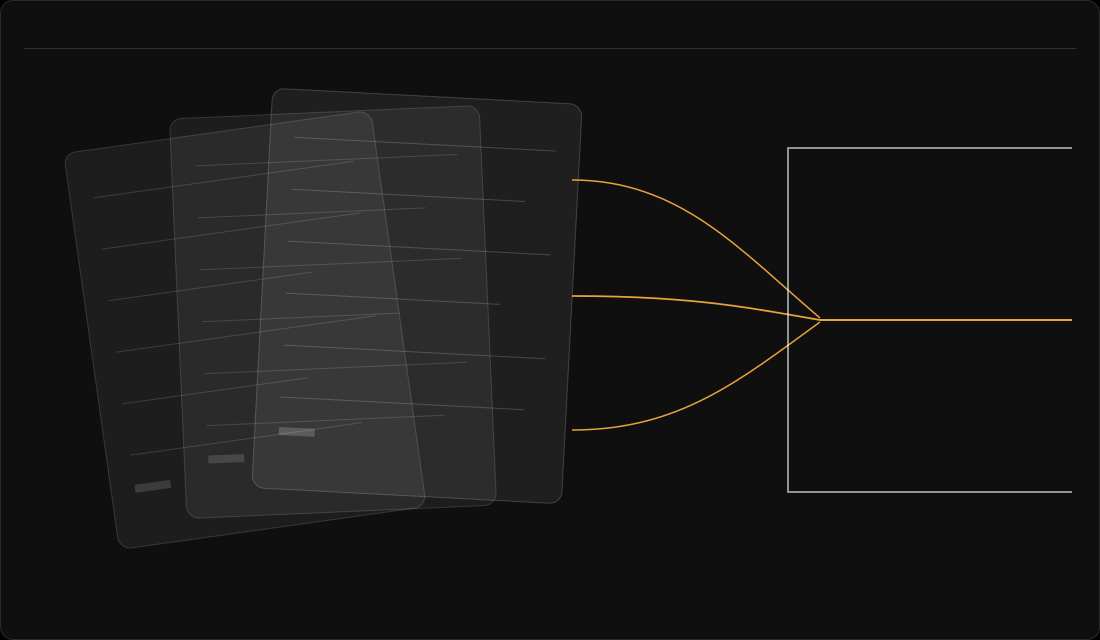
How does AI get into a company? Often one small step at a time: a free sign-up here, a switched-on feature there, a click on "allow". Few people can see all of it. That is the visibility gap. Continuous AI discovery, non-intrusive and agentless by default, is how an AI register stays closer to what is actually in use than a survey can.
Picture 8:47 on a Monday morning. A CIO opens an email. A large customer wants a complete list of every AI system used to deliver their services, with evidence that someone governs each one. The request looks reasonable. Within hours the problem is clear. Marketing uses a writing assistant. Finance uses a spreadsheet add-on. Someone in operations built an automation last month. Nobody owns the whole picture.
Nobody planned this estate, the whole set of AI a company uses. They accumulated it. That's the idea behind this guide, and it's why the question "which AI do we use?" is harder than it should be.
How does AI get into a company?
There are four common routes. They overlap, and each one leaves a different trail.
What happens when someone buys it?
Sometimes AI is bought as a business capability: a tool that ranks CVs, scores fraud or helps decide on credit. It goes through procurement, so there's a purchase record. But it's often described by what it does, not as "AI", so it doesn't land on an AI list. The trail sits in purchase orders and contracts, so read what each tool does, not just what it's called.
What happens when a team adopts it on its own?
Someone finds a tool that saves an hour a day. They sign up with a work email and put it on a company card, so there's a login and a monthly charge. Or they build an automation or an AI agent on a platform the company already uses. Either way, there's no review, and often no record of what data goes in. Still, the charge shows up in card expenses, and the login sits under a work email address. An automation stays on the platform where it was built, so whoever looks after that platform is a good person to ask.
What about AI built into tools you already pay for?
A supplier adds an AI feature to a product you already use. Sometimes it's switched on by default. There's a release note and little else. That note is the trail, along with the product's admin settings, where the feature may be switched on or off. Nobody bought it, because nobody had to.
How does a user connect AI to company tools?
An employee clicks "allow" to connect an AI add-on to a work system. The permission can stay live long after the test ends. The add-on may be able to see more than anyone remembers. The place to check is the work system's admin settings, which often list the connected apps and what each one can see.
Why does a policy not show where AI is?
Procurement sees what was bought, and IT sees what is installed. A team lead remembers what the team tried, and a supplier knows what it switched on. Each route can skip the approval step, and each trail sits somewhere different, so no single place shows all of them. A policy says what is allowed. It can't list what is there, and it is only one part of an AI management system (see ISO 42001 piece). The list that would answer the CIO's email doesn't exist yet.
That's a gap in records, not in goodwill. Trying a helpful tool is usually done in good faith. What's missing is a place where it gets written down, with an owner.

What is shadow AI, and is it the whole picture?
"Shadow AI" is the term for AI tools people use without the organisation's knowledge or approval. IBM's Cost of a Data Breach Report 2026 draws on research by the Ponemon Institute. It reports that security incidents involving unapproved AI tools "more than doubled to 43% this year from 20% last year". IBM sells security products, and the organisations in its sample had all had a breach. Read the figure as a signal, not a prediction.
Shadow AI is one slice of the picture. The routes above also include AI that was approved and bought. The useful reading isn't "people are the problem". It's that you can't govern what you can't see. The place to begin is seeing it.
Where should you start?
You can start this week, with no new tool:
- ask procurement, IT and a few team leads the same three questions: what is it, which team asked for it, and who can answer questions about it;
- look in each of the four places above, because each one shows a different slice;
- write down what you find, with one named owner for each tool and a date;
- mark the gaps, so someone can close them one by one.
The record that comes out of this is an AI register. Our guide to building an AI register, register guide, walks through it step by step. If you already hold a list, you can check what your AI list can prove.
If you'd rather see a record like this than draw one, the tour on Moustr's How it works page shows one. It lists every AI tool in use, new ones waiting for a decision, and what needs attention first. Each tool has one record: the owner, the purpose, the risk assessment, the agreement and the contract dates.
Short answers to common questions
What is shadow AI?
Shadow AI is AI that people use at work without the organisation knowing about it or approving it. It often isn't deliberate. A team finds a helpful tool and uses it before anyone has recorded it.
How does AI get into a company without anyone planning it?
There are four common ways. A team adopts a tool itself. A supplier adds an AI feature to a product you already pay for. Someone connects an add-on with a click. Or a purchase is described by what it does and not as AI. Each leaves a different trail.
Can a tool we already pay for add AI later?
Yes. A supplier can switch on a new AI feature inside a product you already use, sometimes by default. That feature belongs on your list as an entry of its own, with an owner, even though nobody signed a new order.
What are examples of shadow AI?
A writing assistant a team signs up for with a work email. An AI feature that appears in a tool you already use. An add-on someone connected to a work system with a click. Each one can be harmless, and each should still have an owner and a record.
What is the difference between shadow AI and shadow IT?
Shadow IT is technology people use without the IT team's say-so. Shadow AI is the same idea applied to AI, with a twist. The AI can be a feature inside software that is already approved, so nothing new was ever installed.
What are the risks of shadow AI?
The risk starts with not knowing a tool is in use. Then nobody can say who owns it, what data goes into it or whether it should keep running. That makes it hard to answer a customer or a board member who asks. Depending on the supplier's terms, what people type or upload may be stored, or used to improve the service, outside anything you have reviewed. Whether a given tool is a problem depends on what it does and what goes into it.
How do you find which AI is in use?
Ask more than one source. Purchasing records, IT asset lists, supplier release notes and chats with team leads each show something the others miss. Ask your main suppliers which AI features their products include and whether they are switched on. Put the same three questions to every source, and write down the answers with an owner and a date.
Do we need a shadow AI policy?
That is for your organisation to decide, and this isn't legal advice. Many organisations find it helpful to write down which tools are fine to use, who decides on a new one and where it gets recorded. A policy and a list work best together.
Back to Monday morning
Go back to that email. The CIO still gets the customer's request. This time the answer starts from a record. It lists which AI the company uses, who owns each tool, what data goes in and when someone last confirmed it. Gaps are marked as gaps, and each has a name against it.
That's the difference between an estate that accumulated and one that's known. You don't need to stop people trying useful things. You need to be able to say what's there. If you'd like to see which AI is in use, you can Start your 7 days. More guides are on our Resources page.
Sources
- IBM, Cost of a Data Breach Report 2026 (conducted by the Ponemon Institute; sponsored, analysed and published by IBM), pages 44 to 47, 29 July 2026 (release). A report published by IBM, which sells security products and services. Global figures for 602 organisations that had a breach between March 2025 and February 2026; no EU split for these figures. Cost of a Data Breach Report 2026 (PDF); release: IBM newsroom. Checked 28 October 2026.
- Moustr, own analysis of how AI enters organisations, August 2026. Descriptive, not a statistic.
- Moustr, How it works, including its product tour, read 28 October 2026. Describes Moustr's own product.
Last updated: 2 November 2026
Moustr does not give legal advice and does not certify compliance with any law or framework. This guide is practical and for orientation only.