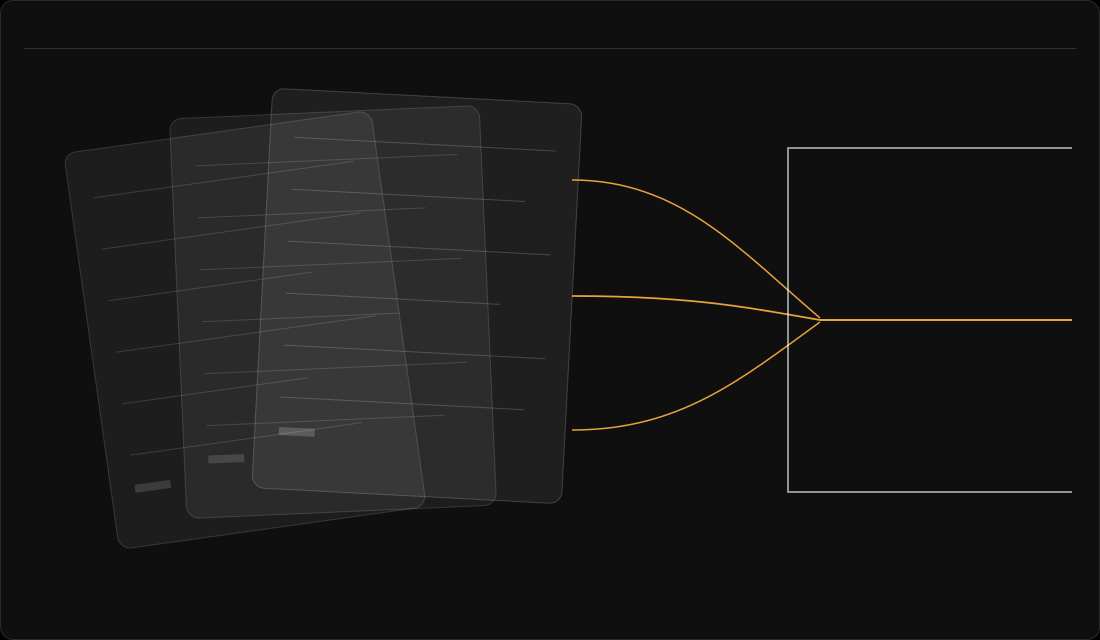
An AI register is an internal record of the AI services an organisation uses, not a public register. Each entry names an owner, a source and a date, and someone confirms it. Kept current, that record is what Moustr calls an AI register: continuous AI discovery, agentless by default, joined to owners, decisions and evidence.
Picture a meeting. Someone asks: "Which AI tools do we use?" Nobody can answer quickly. Marketing knows its writing tool. Support knows the summaries in its helpdesk. A test account sits on a card nobody remembers.
If that sounds familiar, this guide is for you. It walks through what you can't see today, what changes once you have a register, and five steps to build one. A register can help an organisation see which AI systems it uses, who owns each one and what is known about it.
Why is "which AI do we use?" so hard to answer?
Because AI doesn't arrive through one door. It comes in three common ways, and each leaves a different trail.
- Someone buys it, so there's a purchase record.
- A team adopts it, perhaps through a free account, so there's a login and no record.
- A supplier switches on a new feature in a tool you already pay for, so there's a release note and little else.
Each trail sits somewhere different: in procurement, in a team lead's memory, on a supplier's website. So the answer to the meeting's question is a set of partial answers that don't quite agree.
That's the gap. You can't see who owns each tool, what data goes into it, or which contract is about to renew. Then the plain questions arrive. A customer asks who owns the tool that handles their data. A colleague asks whether a team may keep using a service. None of this is anyone's fault. It's a gap in records, not in people.
It's hard to put a price on not knowing, but the signs are worth a look. IBM's Cost of a Data Breach Report 2026 is based on research by the Ponemon Institute. It says that security incidents involving unapproved AI tools, which it calls shadow AI, "more than doubled to 43% this year from 20% last year". IBM sells security software, and its figures come from organisations that had a breach, so treat them as a signal and not a forecast. A register can help an organisation see which services to ask about. It is not a promise of any outcome.
What is an AI register?
A register is a record, not a list. Each entry says what the service is, what it's used for, who owns it and when someone last confirmed it is still true. A list says that a tool exists, while a record says who answers for it and when that was last checked.
Here's what changes once you have one:
| Before | After |
|---|---|
| "Which AI do we use?" gets a set of partial answers. | You open one record and read what is known. |
| Nobody in particular owns a tool. | Each service has one named owner, so there's someone to ask. |
| You can't tell how old a piece of information is. | Every entry carries a date and a role that confirmed it. |
| Gaps stay hidden until someone asks. | Gaps are visible, so you can close them one by one. |
For the EU AI Act or other rules, see the short answers below and ask your own counsel.

How do you build an AI register? Five steps
The fields and steps below are our reading of public guidance, not a rule. Take them as one practical way, and adapt them to how your organisation already keeps records.
Step 1: Agree what counts as an AI system
Start with a plain-words definition that your colleagues can apply, and write it down in a single paragraph. For example: an AI service is any tool or feature that uses machine learning to produce text, images, code, predictions or recommendations. It counts whether we bought it, a team adopted it, or it arrived inside a tool we already pay for.
That last clause matters. A register that counts one way will look tidy and miss the other two. Also decide what stays out, such as personal, non-work use, and write that choice down.
Step 2: Find the services from more than one place
No single source gives the whole picture, because each one shows a different slice:
- Procurement records show what was bought on purpose.
- IT asset lists show what is installed or licensed.
- Supplier release notes show what a vendor switched on inside a tool you already use.
- Conversations with team leads show what teams adopted themselves.
It's harder than it sounds. FINMA, the Swiss financial supervisor, reported a finding in its Guidance 08/2024 of 18 December 2024. With bought applications and services, supervised institutions "sometimes had difficulties determining whether AI is included". That finding is about the Swiss financial institutions FINMA supervises, not a rule for other firms.
Tell everyone you ask that you're building a record of services, not reviewing people. Ask each source the same three questions: what is it, which team asked for it, and who can answer questions about it?
By hand, this is four requests to four owners of information, and four answers in four formats. Someone then has to reconcile them, and the reconciling is the real work. Keeping one record, with an owner and contract dates against each tool, means the answer comes from one place instead of four.
Step 3: Record the essentials for each entry
Keep each entry short, because a register with fifteen fields and nobody to fill them in is a list with extra columns. A sensible starting set:
| Field | What it holds |
|---|---|
| AI service | Its name and a one-line description. |
| Used for | The purpose, in the owner's words. |
| Source (how it got here) | Bought on purpose, adopted by a team, or built into a tool you already pay for. |
| Owner | A named role. One owner per service. |
| Data | What goes in, and whether it includes personal data. Describe the data; do not copy it into the register. |
| Supplier or builder | Who provides it, and the contract or terms that apply. |
| Importance | A short note, or a category your organisation already uses. |
| Status | In use, being evaluated, being retired. |
| Last confirmed | The date, and the role that confirmed the entry. |
| Documents | Links to the contract, data processing terms, impact assessment or other records. |
Public guidance describes AI inventories in different ways. The US National Institute of Standards and Technology (NIST) published a voluntary AI Risk Management Framework in January 2023. Its GOVERN 1.6 says, in part, "Mechanisms are in place to inventory AI systems". The Monetary Authority of Singapore (MAS) wrote guidelines on AI risk management, taking effect in October 2027, for the financial institutions it supervises. They list attributes an inventory "may include", such as purpose and description, data used, lifecycle status, and key roles. There is also ISO/IEC 42001:2023, an international standard for AI management systems. ISO's free explainer of it lists identifying where AI systems are used among the practical first steps.
Here's an illustrative example, with invented placeholder rows. It names no real service, supplier or person, and its owners are roles:
| AI service | Used for | Source (how it got here) | Owner (role) | Personal data? | Last confirmed |
|---|---|---|---|---|---|
| AI service A | Drafting early versions of marketing copy | Adopted by a team | Head of Marketing | Not known yet | IT Governance Lead, 14 October 2026 |
| AI service B | Summarising support tickets | Built into a tool already paid for | Head of Customer Support | Yes: customer messages | IT Governance Lead, 14 October 2026 |
| AI service C | Forecasting stock levels | Bought on purpose | Head of Operations | No | Not yet confirmed |
Note the cells that say "Not known yet" and "Not yet confirmed". A visible gap is more useful than an empty cell, because someone can be asked to close it. Moustr's illustrative sample reports show what a finished record can look like: the sample Governance Report and the sample Estate Report.
By hand, this table is a spreadsheet, and a spreadsheet works for a while. Then columns drift, copies multiply, and nobody can say which copy is current. In Moustr, each tool has one record: the owner, the purpose, the risk assessment, the agreement and the contract dates.
Step 4: Name an owner, and say who confirms
Name one owner for each AI service, by role. The owner is the person who can answer three questions: what is it used for, what data goes in, and should it keep running? A team name is not an owner, because nobody in particular can be asked.
Then name who confirms the entry, which is a second role such as the governance or risk lead. The confirmer checks the owner, the description of the use and the date. An owner who confirms their own entry has marked their own work. Put a date on every confirmation, because an undated entry says nothing a reader can use.
Someone also owns the register as a whole. Give that job to one function, such as IT governance or risk, which holds the register, chases confirmations and reports gaps. The MAS guidelines, for the institutions they cover, give a designated control function the job of independent oversight of the inventory.
By hand, ownership is a chain of emails, and each reply has to be chased, filed and dated. In a register, ownership and approval decisions can be dated and attributed in one place.
Step 5: Keep it true
A register decays from the day it is written. Two things keep it true, which are triggers and a rhythm.
Triggers are events that call for an update at once:
- a new tool, or a new AI feature in an existing tool;
- a contract renewal;
- a change of use, such as the same tool taking in a new kind of data;
- a change of owner, or a team moving to a different tool.
The rhythm is a regular review on top of the triggers, and the sources differ on it. MAS, for the institutions it supervises, calls for "an appropriate frequency to update the inventory" and for updates after changes. NIST sets no fixed interval. Pick a rhythm you'll keep, write it at the top of the register, and note the date of the last full review. At each review, the owner reads every entry, the confirmer signs off the date, and anything that has changed is marked. The test is whether a person who reads an entry today can trust it.
By hand, a review lives on goodwill and a calendar reminder, and it can stop when its owner moves on. For what a register looks like when it is kept up to date, see how Moustr's AI register works.
What can your team do this week?
You don't need a tool to start. This week:
- write the one-paragraph definition from step 1 and share it with team leads;
- ask procurement, IT and a few team leads the same three questions from step 2;
- fill in the table from step 3 for the services you've found so far;
- name one owner for each, and one person who confirms;
- write the date of the next review at the top.
That gives you an honest answer to "which AI do we use?" It will have gaps. Mark them and close them one by one.
Short answers to common questions
What is an AI register?
An AI register is an internal record of the AI services an organisation uses, not a public register. Each entry has a named owner, a source and a date, and someone confirms it.
Does the EU AI Act require an AI register?
Not as an internal list, on our reading. Article 49 of the EU AI Act requires providers of certain AI systems, and public authorities that deploy certain high-risk systems, to register in the EU database. We read it on the European Commission's AI Act Service Desk, text as at 27 July 2026. That is a registration with the EU. Article 49 is not a rule that an organisation must keep an internal list of the AI it uses. Whether any system you use is high-risk is a question for qualified counsel. A register can still help you answer the questions that customers, colleagues and boards raise about AI use.
Is there an AI register template?
Not yet. The field table in step 3 is enough to start.
What should an AI register include?
For each AI service, record what it is, what it is used for and how it got there. Add who owns it, what data goes in and who supplies it. Finish with its status and the date and role that last confirmed the entry (step 3).
Can a spreadsheet be an AI register?
Yes, a spreadsheet is a sound place to start if every row has an owner, a source and a date, and someone confirms it. If you already hold a list, there is also List Check on this site.
What is the difference between an AI register, an AI inventory and an AI risk register?
Register and inventory mean the same thing in this guide. A risk register is a separate record of risks. Link the two instead of merging them.
Does an AI register include AI inside tools we already pay for?
Yes. A supplier can switch on a new AI feature inside a tool you already pay for. That feature belongs in the register as a service of its own (step 1). The "Source" field records how each one got there.
How do I find which AI tools people already use?
Ask more than one source. Procurement records, IT asset lists, supplier release notes and conversations with team leads each show a different slice. Put the same three questions to each: what is it, which team asked for it, and who can answer questions about it (step 2).
Who owns the AI register, and how often is it checked?
One function owns the register as a whole, and each AI service has its own named owner. A second role confirms each entry (step 4). Check it when something changes, such as a new tool or a contract renewal. Also check it on a regular rhythm that you choose and write down (step 5).
Back to the meeting
Go back to that meeting. Someone asks, "Which AI tools do we use?" This time nobody guesses. You open the record. It shows what each service is for, who owns it, what the contract terms are and when someone last confirmed it. The gaps are marked, and someone is already closing them.
That's the whole idea of a register: not a bigger spreadsheet, but an honest answer you can open and read. You can start by hand this week with the five steps above.
If you'd like to see how Moustr keeps that kind of record, how it works is the place to start. Its page describes the approach as "Not a project. Not an audit.": a small recurring cycle, owned by named people at defined cadences, that keeps the estate known and accountable. More guides are on our Resources page.
Sources
- IBM, Cost of a Data Breach Report 2026 (conducted by the Ponemon Institute; sponsored, analysed and published by IBM), pages 44 to 47, 29 July 2026 (release). A report published by IBM, which sells security software and consulting services; global figures for 602 organisations that had a breach between March 2025 and February 2026; no EU split for these figures. Cost of a Data Breach Report 2026 (PDF); release: IBM newsroom. Checked 28 October 2026.
- FINMA (Swiss Financial Market Supervisory Authority), Guidance 08/2024, sections 2.1 and 2.2, 18 December 2024. A supervisory finding about Swiss supervised financial institutions, not a rule for other firms. FINMA Guidance 08/2024. Checked 28 October 2026.
- NIST (US National Institute of Standards and Technology), AI Risk Management Framework 1.0 (NIST AI 100-1), GOVERN 1.6, January 2023. A voluntary US framework. NIST AI 100-1. Checked 28 October 2026.
- Monetary Authority of Singapore, Guidelines on Artificial Intelligence Risk Management, paragraphs 1.8, 4.5, 4.7 and 4.9, 7 October 2026. Expectations for Singapore financial institutions; effective 7 October 2027. MAS Guidelines on Artificial Intelligence Risk Management. Checked 28 October 2026.
- ISO, ISO/IEC 42001 explained, ISO's free explainer, section on practical first steps, read 29 October 2026.
- European Commission, AI Act Service Desk, Regulation (EU) 2024/1689, Article 49, consolidated text as at 27 July 2026. https://ai-act-service-desk.ec.europa.eu/en/ai-act/article-49. Checked 28 October 2026.
- Our comparison of the public guidance cited in this guide, 28 October 2026. This is our reading of public guidance, not a requirement.
- Moustr, How it works, https://moustr.com/how-it-works.html, and sample reports, read 28 October 2026. Describes Moustr's own product; the sample reports are illustrative, not customer data. Checked 28 October 2026.
Last updated: 2 November 2026
Moustr does not give legal advice and does not certify compliance with any law or framework. This guide is practical and for orientation only.
If you would rather not start from a blank page, you can Start your 7 days.